
Rigby2D documentation
Rigby2D is a free, open-source editor for 2D skeletal animation. You rig layered artwork with bones and meshes, animate it for games or film, and play it anywhere with the included runtimes. A built-in MCP server lets AI assistants inspect, rig and animate your projects.
Tip
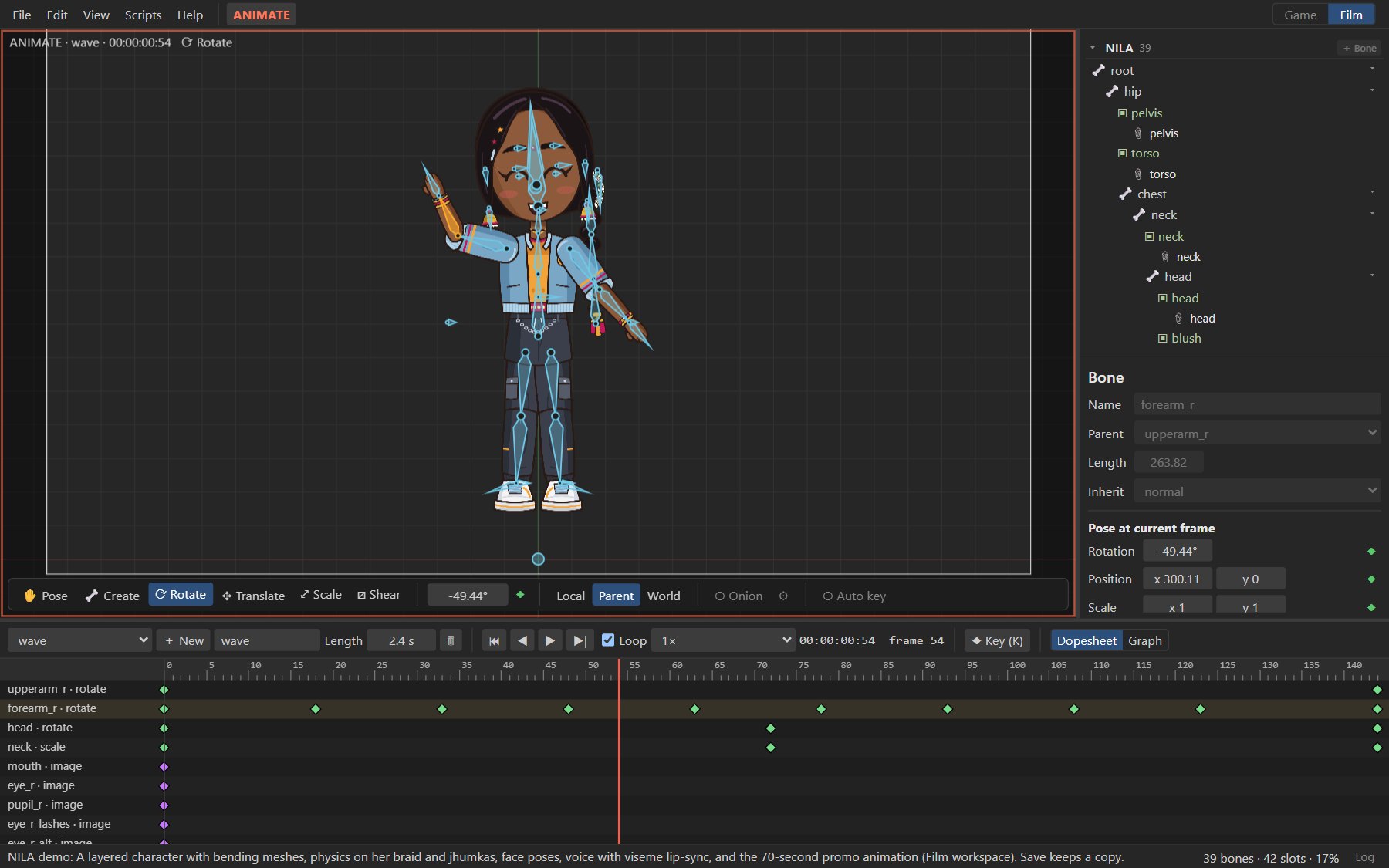
The fastest way to see what Rigby2D can do: open the editor in your browser, choose File ▸ Open demo and pick NILA. Nothing to install.
#What you can do with it
- Rig in one step. Import a layered PSD and AutoRig finds the body parts, places the joints and builds bones, bending meshes and IK.
- Rig by hand with bones, slots and attachments, weighted meshes, IK, transform, path, physics and slider constraints, skins and events.
- Animate with Setup and Animate modes, a dopesheet, a graph editor with Bézier handles, onion skinning, a pose library and face controls, and retargeting between characters.
- Make films in the Film workspace: resolution and frame-rate presets, an animatable camera, audio tracks, viseme lip-sync with automatic transcription, and renders to PNG sequences, WebM with alpha and MP4.
- Automate with Python scripting and custom tools, or let an AI assistant work through the MCP server.
- Ship skeleton JSON (3.8, 4.2, 4.3) or binary
.skelwith a texture atlas, and play it with the JavaScript, Rust and Godot runtimes.
#Where to start
#Key ideas
Setup pose and animations. Every rig has a setup pose: where each bone, image and mesh sits at rest. Animations store changes relative to it. In Setup mode your edits change the setup pose; in Animate mode the same edits set keys at the current frame. Press Tab to switch.
Bones, slots and attachments. Bones form the skeleton. A slot sits on a bone and decides draw order and color; it shows one attachment at a time: an image, a mesh, or a shape such as a clipping polygon. Swapping attachments is how mouths, hands and eyes change shape.
Work files and exports. You save your work as one .rigby file holding the whole project and
its images. For games you export skeleton JSON or .skel plus a texture atlas, which the runtimes
load. See File formats.
Two workspaces. The Game and Film workspaces show the tools for each kind of work. They never change the animation data, so exports are identical either way.
#Status
Rigby2D is in early alpha and moves quickly. These pages describe the current develop branch,
which is what the website and its browser editor run.
Found something wrong or missing? Open an issue
or use Edit this page on GitHub below.